Hey there!
In this post, I’d love to share with you my experience with the iPad Pro 12.9″ — the iPad Pro I’ve been using for Procreate drawing for the past 3 years and am absolutely in love with it.
I honestly think it’s quite amazing, and in this post, I’ll tell you why. I’ll focus on what’s important for artists: the drawing experience, screen size, number of layers, storage, and Apple Pencil compatibility.
So let’s find out if you should get iPad Pro 12.9″ for Procreate and drawing!

🤩 Join Art Club with Iva for access to popular PROCREATE classes, workshops, creative skills practice, my drawing process, references, Procreate brushes use inspiration, and more.
💡 Click on my post about the best iPad for Procreate if you are looking for a comparison of the different iPads for drawing on Procreate – iPad Pro 12.9″, iPad Pro 11″, iPad Air 10.9″, iPad Mini, iPad 10, and iPad 9.
💡 Read my post about iPad Pro 11 vs. 12.9 if you are deciding between those two models.
NEW iPad Pro 13″ M5 2025
Display: 13″ Tandem OLED Ultra Retina XDR display; ProMotion (120Hz); Wide color P3 gamut; 2M:1 contrast ratio Resolution: 2752x2064px at 264PPI Brightness: SDR 1000 nits, XDR 1600 nits Chip: M5 with neural engine (AI) and improved battery life Storage: 256GB | 512GB | 1TB | 2TB RAM: 8GB @256GB | 512GB and 16GB @1TB | 2TB Weight: 1.3lb (580g) Compatible with Apple Pencil Pro (recommended) Display: 13″ Nano-texture Tandem OLED Ultra Retina XDR display; ProMotion (120Hz); Wide color P3 gamut; 2M:1 contrast ratio Resolution: 2752x2064px at 264PPI Brightness: SDR 1000 nits, XDR 1600 nits Chip: M5 with neural engine (AI) and improved battery life Storage: 1TB | 2TB RAM: 16GB @1TB | 2TB Weight: 1.3lb (580g) Compatible with Apple Pencil Pro (recommended) Features: Hover, Double-tap, Squeeze, Barrel roll, Pixel-Perfect Precision, Tilt and Pressure Sensitivity, Low Latency for Note-Taking, Drawing, and Art. Attaches, Charges, and Pairs Magnetically Compatible with iPad Pro M5 & M4 2024 and iPad Air M3 & M2 2024 Display: 13″ Tandem OLED Ultra Retina XDR display; ProMotion (120Hz); Wide color P3 gamut; 2M:1 contrast ratio Resolution: 2752x2064px at 264PPI Brightness: SDR 1000 nits, XDR 1600 nits Chip: M5 with neural engine (AI) and improved battery life Storage: 256GB | 512GB | 1TB | 2TB RAM: 8GB @256GB | 512GB and 16GB @1TB | 2TB Weight: 1.3lb (580g) Compatible with Apple Pencil Pro (recommended) Display: 13″ Nano-texture Tandem OLED Ultra Retina XDR display; ProMotion (120Hz); Wide color P3 gamut; 2M:1 contrast ratio Resolution: 2752x2064px at 264PPI Brightness: SDR 1000 nits, XDR 1600 nits Chip: M5 with neural engine (AI) and improved battery life Storage: 1TB | 2TB RAM: 16GB @1TB | 2TB Weight: 1.3lb (580g) Compatible with Apple Pencil Pro (recommended) Features: Hover, Double-tap, Squeeze, Barrel roll, Pixel-Perfect Precision, Tilt and Pressure Sensitivity, Low Latency for Note-Taking, Drawing, and Art. Attaches, Charges, and Pairs Magnetically Compatible with iPad Pro M5 & M4 2024 and iPad Air M3 & M2 2024


The iPad Pro 12.9″ for Drawing (Discontinued)

🤩 Grab my popular FREE Procreate Brush pack, plus color palettes, prompt lists, and more creative goodies!
|
My Pick

|
2022 Model

|
|
Who is it for?:
I think iPad Pro 12.9″ is great for professional digital artists who work long hours on complex artworks with multiple layers. I love the big, bright screen which is easy on the eyes and perfect for outdoor drawing.
|
Who is it for?:
Same as the 5th generation, I think the newest iPad Pro 12.9″ is great for professional digital artists who will work with it daily long hours. Then it's for all digital artists who want the newest and the best tech from Apple. Plus there is the hover feature which is quite neat!
|
|
Display:
★★★★★
ProMotion True Tone Liquid Retina IPS Display with P3 wide color profile |
Display:
★★★★★
ProMotion True Tone Liquid Retina IPS Display with P3 wide color profile |
|
Processor:
★★★★★
M1 |
Processor:
★★★★★
M2 |
|
RAM:
★★★★★
8GB or 16GB |
RAM:
★★★★★
8GB or 16GB |
|
Storage:
★★★★★
From 128GB up to 2TB |
Storage:
★★★★★
From 128GB up to 2TB |
|
Apple Pencil compatibility:
2nd generation
|
Apple Pencil compatibility:
2nd generation
|
|
Description:
|
Description: Apple Pencil 2 Hover feature |
ProMotion True Tone Liquid Retina IPS Display with P3 wide color profile
M1
8GB or 16GB
From 128GB up to 2TB
ProMotion True Tone Liquid Retina IPS Display with P3 wide color profile
M2
8GB or 16GB
From 128GB up to 2TB
Apple Pencil 2 Hover feature
Video: My Experience with iPad Pro 12.9″ for Drawing and Procreate
Drawing Experience on iPad Pro 12.9″

Join 1000s of artists and get my custom-made Procreate brushes - 🎨 Watercolor Brush Set, 🖌️ Gouache Brush Set, ✏️ Sketching Brush Set, and more ...
I am currently using the iPad Pro 12.9″ 5th generation, and I really love using it.
I actually love every minute of drawing on my iPad Pro!
It’s so natural and intuitive that it feels like drawing and painting on paper or in a sketchbook, but obviously digitally.
If you are into tech specification, this amazing drawing experience on iPad Pro 12.9″ is aided by the best Apple screen display technology they have invented so far:
This means you are getting the following:
- 120Hz refresh rate for a super smooth drawing experience
- A laminated display for a natural drawing experience
- A super high-definition resolution for super clear images
- The widest and richest color profile
I think one of iPad Pro 12.9’s standout features is that its big screen becomes a massive canvas when you’re drawing in Procreate. I really enjoy having a larger area to draw on. It certainly makes the creative process more enjoyable.
Moreover, the iPad Pro 12.9″ 6th generation, equipped with the M2 chip, has an innovative hover-over feature that becomes incredibly handy while using Procreate.
Have a look at my drawing experience with this iPad Pro model in one of my tutorials below:
iPad Pro 12.9″ Screen Size Comparison


The iPad Pro 12.9 is noticeably bigger and slightly heavier than other iPad models.
Initially, I had some concerns about the size. But surprisingly, it fits comfortably in one hand.
I do most of my iPad drawing indoors, in my studio, where I usually place it on the table.
But if you’re someone who loves drawing outside, don’t worry.
I’ve used it in cafes and parks, and although it might be a little cumbersome to hold for an extended period, there are easy workarounds. You could prop it on your knees or use a holder. Plus, resting your hand on the screen while drawing becomes incredibly convenient with this bigger screen size.
The bigger screen does take a bit of getting used to.
But after that, going back to a smaller screen feels somewhat constraining. Therefore, if you’re considering whether to go for an iPad Pro 11″ or the iPad Pro 12.9″, your choice might depend on where you’re likely to use it most and how portable you want your device to be.
For me, even with the bigger size, I find carrying the iPad Pro 12.9 quite manageable.
I just needed to check how it compares to the sketchbook sizes I love to use and that it fits into my backpack, and voila — I can draw on the go!
Number of Procreate Layers on iPad Pro 12.9″


As I explain in my post about Procreate layer limits, the number of Procreate layers you get with your iPad depends on many factors but can be boiled down to the size of RAM, iPadOS version, and Procreate version.
In all three cases, the higher, the better!
Below is an example of the number of Procreate layers you will get if you get an iPad Pro 12.9″ with 8GB RAM (so storage of 128GB, 256GB, or 512GB). If you get the 1TB or 2TB models, you will be working with 16GB RAM, so you will be getting even more Procreate layers.
| Canvas size | iPad Pro 12.9″ 8GB RAM Number of layers in Procreate |
|---|---|
| 3000 x 3000px | 112 |
| 16″ x 16″ @300 DPI | 41 |
| A4 @300DPI | 116 |
| A3 @300DPI | 56 |
| A2 @300DPI | 23 |
Storage Options on iPad Pro 12.9″
As you see in the table below, iPad Pro 12.9″, same as other iPad Pros, provides generous 5 storage options:
| iPad Pro 12.9″ Both M1 and M2 chip | RAM |
|---|---|
| Storage 128GB | 8GB RAM |
| Storage 256GB | 8GB RAM |
| Storage 512GB | 8GB RAM |
| Storage 1TB | 16GB RAM |
| Storage 2TB | 16GB RAM |
iPad Pro 12.9″ or iPad Pro 11″ are the only iPads that provide so many storage options.
You can get 128GB, 256GB, and 512GB storage options which come with 8GB RAM.
Or you can get absolutely amazing 1TB or 2TB storage options, which come with an incredible 16GB RAM. I mean, with these specs, this is like a real computer!! I recommend these models to animators and 3D modelers.
This means you can easily download and store offline videos — whether it’s your favorite movies, online classes, or YouTube videos.
It’s also a perfect tablet for storing and editing your photos or even doing video editing and 3D directly on your iPad.
iPad Pro 12.9″ Apple Pencil Compatibility

Second Generation Apple Pencil :: Best Drawing and Painting Experience :: Compatible with: iPad Pro 12.9-inch (6th, 5th, 4th and 3rd generation), iPad Pro 11-inch (4th, 3rd, 2nd and 1st generation), iPad Air (5th and 4th generation) and iPad mini (6th generation)
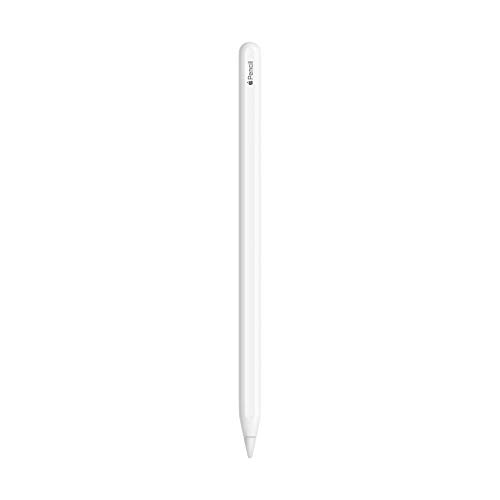
Both iPad Pro 12.9″ M1 and M2 are compatible with Apple Pencil 2nd generation.
And this is super awesome for a few reasons:
- Apple Pencil 2 automatically pairs with your iPad Pro 12.9″
- Apple Pencil 2 magnetically attaches to iPad Pro 12.9″, and it charges automatically and wirelessly. This is very convenient to me because after each drawing session, I just attach my Apple Pencil to my iPad Pro, and it’s charged and ready for my next session.
- On M2 models, Apple Pencil provides this pretty awesome hover-over feature, which I’ve mostly used for adjusting Procreate brush size and opacity – see below:


iPad Pro 12.9″ Price
iPad Pro 12.9″ is technologically the best iPad Apple has created so far.
This means the price is quite steep, so I recommend it for artists who can comfortably afford to buy this iPad for drawing and Procreate.
At the time of writing, the price of the 2022 iPad Pro 12.9″ (6th generation with M2 chip) starts at ±$1,000 for the WiFi model with 128GB storage and goes up to ±2,200 for the WiFi model with 2TB storage.
The 2021 iPad Pro 12.9″ (5th generation with M1 chip) starts at ±$800 for the WiFi model with 128GB storage and goes up to $2,000 for the WiFi model with 2TB storage.
I personally own the iPad Pro 12.9″ 5th generation with 512GB storage model, and I am pretty happy with it.
If my budget didn’t allow me to get it, I’d make sure I’d be getting, at minimum, the 256GB storage model, because anything smaller would not allow me to comfortably work with all the files I store on my iPad.
Who Should Get iPad Pro 12.9″ for Drawing?
So, who would I recommend the iPad Pro 12.9 for?
iPad Pro 12.9″ is a great choice for Procreate and drawing if you want more storage, a larger number of layers compared to older or smaller models, a bigger drawing canvas, and access to the cool hover-over functionality that the M2 Chip provides.
It’s also perfect if you want advanced options for video editing or 3D rendering.
Overall, I’m absolutely thrilled with my iPad Pro 12.9.
If your needs align with its features, it might be a fantastic choice for you too.
iPad Pro 12.9″ Drawing Accessories
When you get your own iPad Pro 12.9″ for drawing and Procreate, also consider these useful accessories:

|

|

|

|
|
Description: Matte Screen Protector for Drawing, Writing, and Note-taking like on Paper |
Description: I recommend you get them if you use a matte Paperlike screen protector |
Description: iPad Pro Case with Pencil Holder, Soft Flexible TPU Back Cover, Auto Sleep/Wake, and Multiple Viewing Stand Modes. Different sizes available. |
Description: Amazing for typing and doing office work on your iPad. Available for iPad Pro models, iPad Air and iPad models. |
Matte Screen Protector for Drawing, Writing, and Note-taking like on Paper
I recommend you get them if you use a matte Paperlike screen protector
iPad Pro Case with Pencil Holder, Soft Flexible TPU Back Cover, Auto Sleep/Wake, and Multiple Viewing Stand Modes. Different sizes available.
Amazing for typing and doing office work on your iPad. Available for iPad Pro models, iPad Air and iPad models.
Happy creating!

Hi, I am Iva (rhymes with “viva”). I am a full-time self-taught artist behind Art Side of Life® and a Top Teacher on Skillshare. I have 15 years of experience in the creative field as a concept designer, illustrator, art director, and now freelance artist, content creator, and art instructor. My goal is to help you get your creative groove on with Procreate and make awesome art through practical classes, tutorials, Procreate brushes, and guides on art tools, supplies and resources. About me »


