Hi! 👋 iPads can be expensive, but you don’t need the latest Pro or Air to create in Procreate.
I’ve tested the best budget options and here’s what you need to know:

Join 1000s of artists and get my custom-made Procreate brushes - 🎨 Watercolor Brush Set, 🖌️ Gouache Brush Set, ✏️ Sketching Brush Set, and more ...

🤩 Join Art Club with Iva for access to popular PROCREATE classes, workshops, creative skills practice, my drawing process, references, Procreate brushes use inspiration, and more.
Overview: Best iPad for Drawing on a Budget
|
Best Budget

|
Best Value
|
Portable

|
While stock lasts

|
While stock lasts

|
|
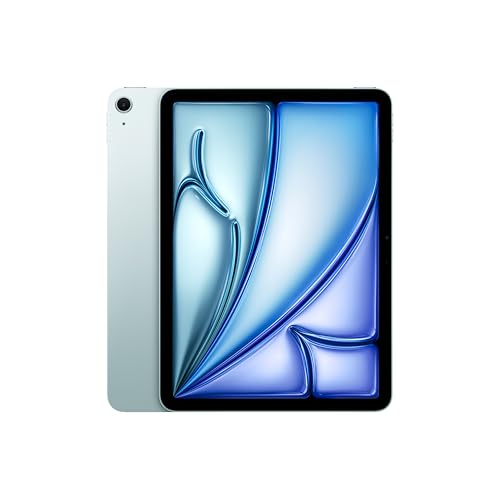
Description: Apple A16 Chip :: 11-inch Liquid Retina LED Display with True Tone :: 2360-by-1640-pixel resolution :: 500 nits brightness :: ±10 hours Battery Life :: Early 2025 model :: Apple Pencil 1 compatible :: Get my popular Procreate Brushes |
Description: Apple M4 Chip :: 11-inch Liquid Retina Display with True Tone and wide color (P3) :: 2360-by-1640-pixel resolution :: 500 nits brightness :: 12GB RAM :: ±10 hours Battery Life :: Early 2026 model :: Apple Pencil PRO compatible | Get my popular Procreate Brushes |
Description: Apple A17 Pro Processor :: 8.3-inch Retina LED Display with True Tone and wide color (P3) :: 2266-by-1488-pixel resolution :: 500 nits brightness :: ±24 hours Battery Life :: Late 2024 model :: Apple Pencil Pro compatible | Get my popular Procreate Brushes |
Description: Apple A14 Chip :: 10.9-inch Liquid Retina LED Display with True Tone :: 2360-by-1640-pixel resolution :: 500 nits brightness :: ±10 hours Battery Life :: Late 2022 model :: Apple Pencil 1 compatible | Get my popular Procreate Brushes |
Description: Apple A13 Processor :: 10.2-inch Retina LED Display with True Tone :: 2160-by-1620-pixel resolution :: 500 nits brightness :: ±10 hours Battery Life :: Late 2021 model :: Apple Pencil 1 compatible | Get my popular Procreate Brushes |
|
Why should you get it?:
2025 model
New storage options from 128GB up to 512GB iPadOS 18+/26+ support |
Why should you get it?:
2026 model
M4 processor 12GB RAM Apple Pencil PRO support Wide color P3 display iPadOS 18+/26+ support |
Why should you get it?:
2024 model
Apple Pencil PRO support Wide color P3 display iPadOS 18+/26+ support |
Why should you get it?:
2022 model
iPadOS 18+/26+ support |
Why should you get it?:
2021 model
256GB storage iPadOS 16+ and 17+ support |
|
Notes:
Still doesn't support Apple Pencil 2!
|
Notes:
128GB storage might be too small for some
|
Notes:
128GB storage and screen size might be too small for some
|
Notes:
64GB storage might be too small for some
|
Notes:
Discontinued in May 2024
Some retailers may still have stock. Otherwise get it renewed |
Apple A16 Chip :: 11-inch Liquid Retina LED Display with True Tone :: 2360-by-1640-pixel resolution :: 500 nits brightness :: ±10 hours Battery Life :: Early 2025 model :: Apple Pencil 1 compatible :: Get my popular Procreate Brushes
New storage options from 128GB up to 512GB
iPadOS 18+/26+ support
Apple M4 Chip :: 11-inch Liquid Retina Display with True Tone and wide color (P3) :: 2360-by-1640-pixel resolution :: 500 nits brightness :: 12GB RAM :: ±10 hours Battery Life :: Early 2026 model :: Apple Pencil PRO compatible | Get my popular Procreate Brushes
M4 processor
12GB RAM
Apple Pencil PRO support
Wide color P3 display
iPadOS 18+/26+ support
Apple A17 Pro Processor :: 8.3-inch Retina LED Display with True Tone and wide color (P3) :: 2266-by-1488-pixel resolution :: 500 nits brightness :: ±24 hours Battery Life :: Late 2024 model :: Apple Pencil Pro compatible | Get my popular Procreate Brushes
Apple Pencil PRO support
Wide color P3 display
iPadOS 18+/26+ support
Apple A14 Chip :: 10.9-inch Liquid Retina LED Display with True Tone :: 2360-by-1640-pixel resolution :: 500 nits brightness :: ±10 hours Battery Life :: Late 2022 model :: Apple Pencil 1 compatible | Get my popular Procreate Brushes
iPadOS 18+/26+ support
Apple A13 Processor :: 10.2-inch Retina LED Display with True Tone :: 2160-by-1620-pixel resolution :: 500 nits brightness :: ±10 hours Battery Life :: Late 2021 model :: Apple Pencil 1 compatible | Get my popular Procreate Brushes
256GB storage
iPadOS 16+ and 17+ support
Some retailers may still have stock. Otherwise get it renewed
When it comes to finding a cheap option for using Procreate, it can be a bit tricky since Apple products are notoriously expensive.
Normally, I would consider a drawing tablet that costs up to ±$200 to be a budget option. But in this case, I had to push the limit higher to include some of the cheaper iPads that still provide a great drawing experience in Procreate.
For our list, I’ve set the range for cheap iPads for Procreate between $399 – $499. Of course, you could potentially find a second-hand older iPad for less, but my main criteria were to ensure that each iPad on our list provides the best possible drawing experience on Procreate.
So, here is the lineup of the best budget iPads for Procreate that meet our criteria:
Best iPad for Procreate on a Budget: iPad A16 11th Generation

🤩 Grab my popular FREE Procreate Brush pack, plus color palettes, prompt lists, and more creative goodies!
Best Budget iPad for drawing and Procreate
Apple A16 Chip :: 11-inch Liquid Retina LED Display with True Tone :: 2360-by-1640-pixel resolution :: 500 nits brightness :: ±10 hours Battery Life :: Early 2025 model :: Apple Pencil 1 compatible :: Get my popular Procreate Brushes

I was curious whether we could snag one of the newest iPads within our budget range. And guess what? I found out that the standard iPad A16 11th generation meets our needs!
If we want to stay under $500, we might have to sacrifice some storage space, but with a slightly bigger budget, we could upgrade to the more spacious 256GB model. Sounds like a pretty sweet deal, doesn’t it?
Read more in my review of iPad A16 for drawing, Procreate, and artists!

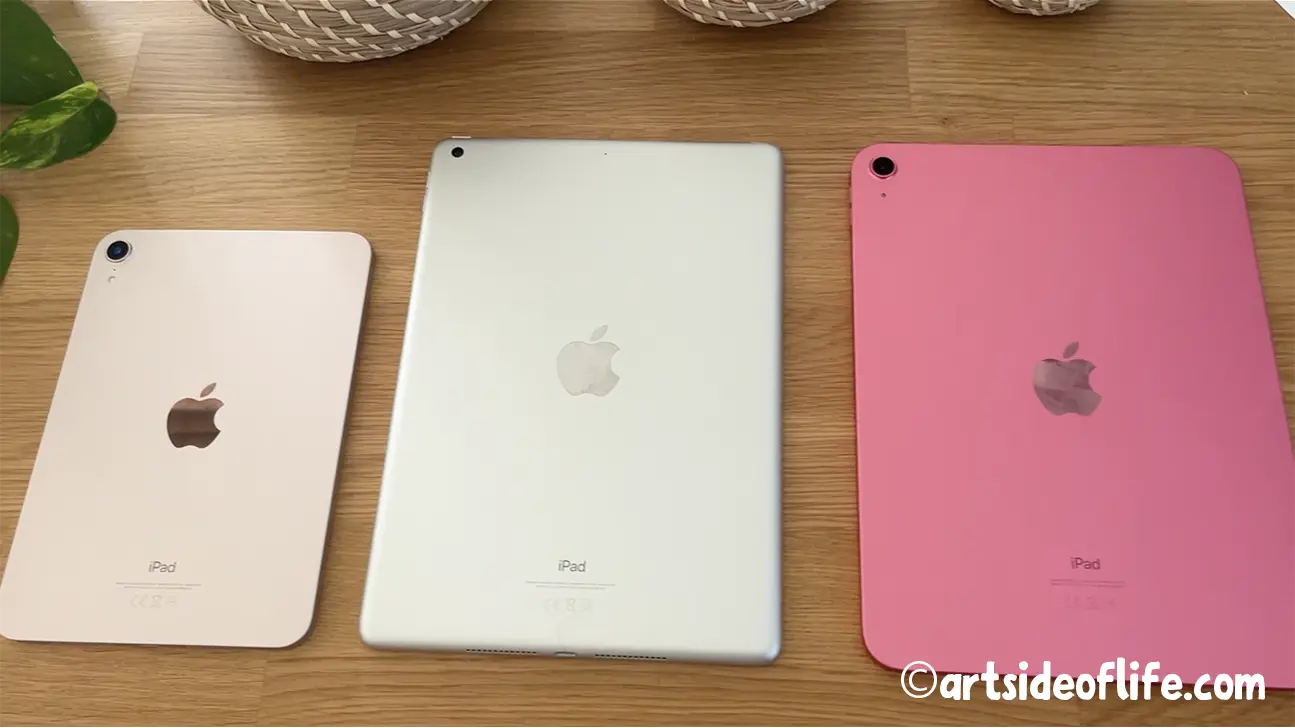
Portable: iPad Mini 7th Generation
Best Portable iPad I recommend for drawing and Procreate
Apple A17 Pro Processor for Best-in-Class Performance :: 8.3 inch Liquid Retina Display for Superior Color, Contrast, Brightness :: Light and Extremely Strong :: Premium Fit and Finish :: Up to 24 Hours Battery Life :: Storage 128GB - 256GB - 512GB :: Late 2024 model :: Compatible with Apple Pencil Pro | Get my popular Procreate Brushes

When I first got my hands on the iPad Mini for drawing in Procreate, I was a bit skeptical. Coming from an iPad Pro 12.9″, I thought the small screen might be too cramped for my needs.
But I have to say, I was pleasantly surprised! Despite the smaller size, I found that by zooming in and focusing on one area at a time, I could still create detailed artwork.
And with the wide color P3 display and support for Apple Pencil Pro, this compact iPad makes for a compelling and affordable option for Procreate artists who want to work on the go.
Join 1000s of artists and get my custom-made Procreate brushes - 🎨 Watercolor Brush Set, 🖌️ Gouache Brush Set, ✏️ Sketching Brush Set, and more ...
While Stock Lasts: iPad 10th Generation
Best Budget iPad for drawing and Procreate
Apple A14 Processor :: 10.9-inch Liquid Retina LED Display with True Tone :: 2360-by-1640-pixel resolution :: 500 nits brightness :: ±10 hours Battery Life :: Late 2022 model :: Apple Pencil 1 compatible :: Get my popular Procreate Brushes
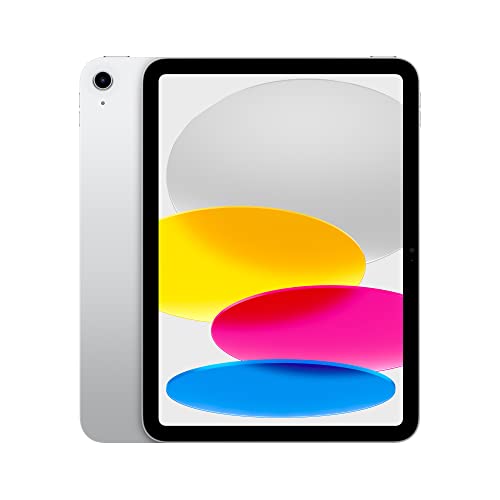
In my opinion, if you’re looking for the best value in a budget iPad for Procreate, the standard iPad 10th generation is a great choice.
The 256GB storage is plenty for your artwork, and the iPad OS 16 support ensures that Procreate can use your iPad’s RAM efficiently. This translates to being able to work with more layers in your projects.
Overall, it’s a fantastic deal!
Get more details in my review of the iPad 10 for Procreate, drawing, and artists!
Get Renewed: iPad Air 4th Generation
Savings ~$100 - $200
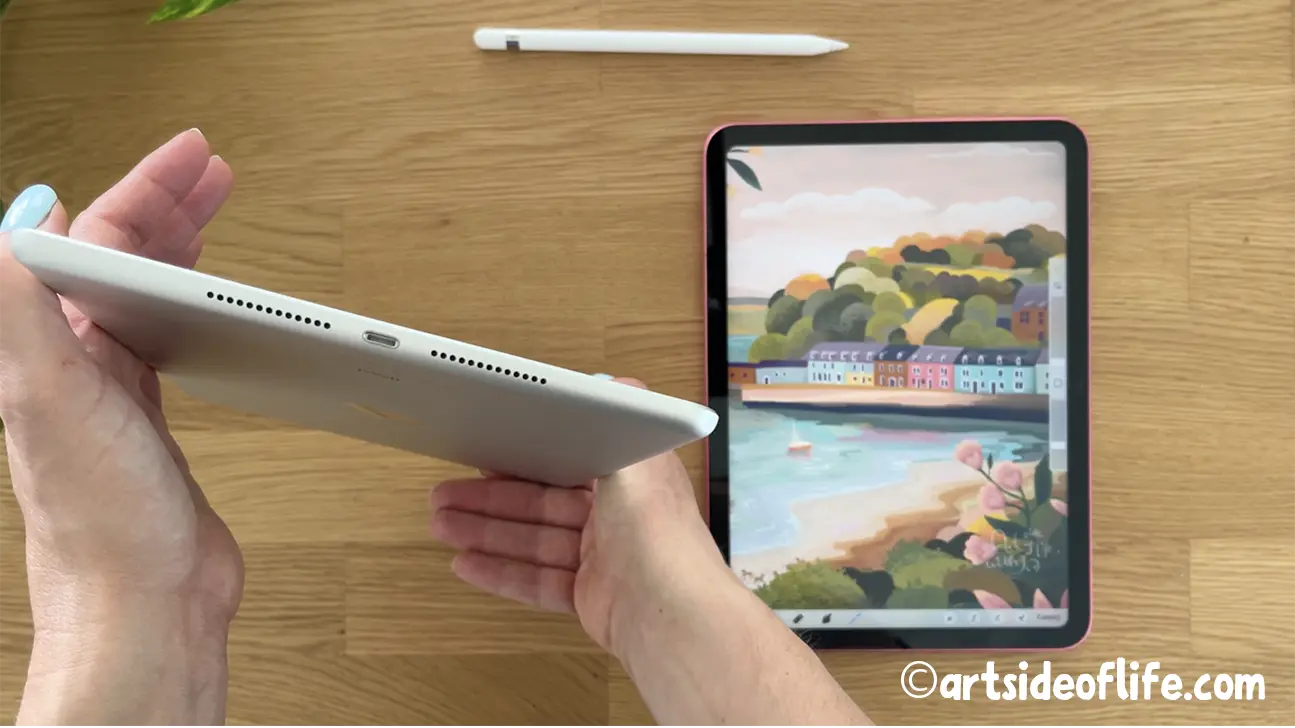
Apple A14 Processor :: 10.9-inch Retina LED Display with True Tone and wide color (P3) :: 2360-by-1640-pixel resolution :: 500 nits brightness :: ±10 hours Battery Life :: Late 2020 model :: Compatible with Apple Pencil 2 | Get my popular Procreate Brushes

I also set out to find a budget iPad for Procreate that meets all the requirements, including enough storage, a wide color P3 display, and support for Apple Pencil 2.
Sadly, I couldn’t find any new iPads that fit our budget.
But then I had an idea – why not consider buying a renewed iPad for Procreate? After a bit of searching, I came across the renewed Apple iPad Air 4, which ticks all the boxes.
Although it’s an older model, it still has 256GB of storage, supports Apple Pencil 2, and runs on iPad OS 16, ensuring that Procreate can use as much RAM as it needs to handle more layers.
Best of all, buying renewed means you can save $100 – $200!
What Should You Look For When Getting a Budget iPad for Procreate?
Your Budget
Your budget is naturally the most important thing to look out for when choosing the cheap iPad you will be getting for drawing on Procreate.
When it comes to getting anything “budget” from the Apple universe, though, it’s all about setting your expectations right.
If we were talking about other drawing tablets, we could set a budget of $100 to $200, and we could easily call those budget drawing tablets. But for that amount of money, you will be not getting much in Apple’s universe.
You may argue that you could surely get a second-hand iPad for Procreate for that amount. It might be true, but would it be up for the task to work with Procreate and even Apple Pencil?
Now, Procreate is not a very performance-hungry app, but it does need certain hardware specs. And, unfortunately, the older iPads just don’t cut it. What is more, the older iPads don’t always support Apple Pencil, which is essential for drawing on Procreate.
So to stay realistic but still spend 2x to 3x less than on the newest iPad, I’ve set our budget to be between $300 – $500. And as you can see above, I was able to find iPad models within that budget that can easily run Procreate and support Apple Pencil.
Apple Pencil Compatibility
The stylus you should use with Procreate is Apple Pencil, period. And the cheaper iPad you are getting for Procreate needs to support it.
Yes, Apple Pencil is not cheap, and yes, there are more affordable styluses that actually work with iPads.
But and this is a huge “but” … since Procreate version 5.3, the third-party styluses are not supported.
The only styluses that are supported by Procreate going forward are the ones built using the Apple Pencil technology, which, surprise, surprise, are Apple Pencil Pro, Apple Pencil, Apple Pencil 2, Logitech Crayon, and Logitech Crayon 2.
I discuss their differences in the post about the best stylus for Procreate, so check it out here.
Needless to say, the budget iPads I have on my list all support either Apple Pencil or Apple Pencil 2 so you are in for the best drawing experience on Procreate.
Storage
Your budget iPad’s storage will determine how comfortable you will be with storing your Procreate drawings, time-lapses, brushes, and swatches, but also photos, videos, files, and so on.
When getting a cheap iPad for your Procreate adventures, you will have to compromise in terms of storage if you really need to keep within your budget.
You will have to back up your drawings and files in the cloud or on external hard drives … which may be a good thing anyway, and then delete them from your iPad so it has an optimal amount of storage to work properly.
The good news is, in this price category of iPads, the storage doesn’t influence the amount of RAM memory (the active memory) which Procreate app works with.
So if you have a good discipline in keeping a minimum amount of files, you can save quite a lot by keeping your storage low.
Screen Size
In the budget iPads for Procreate category, you will be getting nice sizes of 10.2″ and 10.9″ which are plenty enough for drawing and painting on Procreate.
And if you like drawing and sketching in smaller sketchbooks, the iPad Mini 6 with 8.3″ provides enough ample space to create nice artwork in Procreate, too.
For our set budget of between $300 and $500, you won’t be getting the biggest sizes, iPad Pro 11″ or iPad Pro 12.9″, but you will be getting pretty close, which is good news.
Join 1000s of artists and get my custom-made Procreate brushes - 🎨 Watercolor Brush Set, 🖌️ Gouache Brush Set, ✏️ Sketching Brush Set, and more ...
Which Affordable iPad Should You Get for Procreate?
To summarize, we’ve looked at a range of iPads and put together a list of the best budget options for Procreate, each of which offers a fantastic drawing experience.
My top picks are:
- The cheapest iPad for Procreate: iPad 11th generation or iPad 10th generation
- The affordable and portable iPad for Procreate: iPad Mini 7th generation
- The budget upgrade iPad for Procreate: iPad Air 11 M4
- Get it while stock lasts: iPad Mini 6th generation
- Get it while stock lasts: iPad 9th generation
- And the renewed iPad Air 4th generation for a more affordable option
Whatever your budget, there’s a perfect iPad for you on this list.
When making your decision, be sure to consider your budget, storage capacity, display size, and Apple Pencil compatibility.
I hope this post has been helpful in your search for the perfect budget iPad for Procreate.
Happy drawing!
🤩 Join Art Club with Iva for access to popular PROCREATE classes, workshops, creative skills practice, my drawing process, references, Procreate brushes use inspiration, and more.

Hi, I am Iva (rhymes with “viva”). I am a full-time self-taught artist behind Art Side of Life® and a Top Teacher on Skillshare. I have 15 years of experience in the creative field as a concept designer, illustrator, art director, and now freelance artist, content creator, and art instructor. My goal is to help you get your creative groove on with Procreate and make awesome art through practical classes, tutorials, Procreate brushes, and guides on art tools, supplies and resources. About me »


