Hi, I’m Iva. I’m a professional illustrator, and I’ve helped over 300,000 artists master Procreate through fun, practical classes. Here’s my quick take:
| Best for most artists: | iPad Air 11-inch or 13-inch (M4) |
| Best for professionals and layered Procreate files: | iPad Pro 11-inch or 13-inch (M5), ideally 1TB or 2TB for the extra RAM |
| Best budget iPad that still feels good in Procreate: | iPad (A16) |
| Best portable sketchbook: | iPad mini (A17 Pro) |
Quick picks: Best iPad for Procreate Artists
Best for: Most artists, students, hobbyists, many pros What you give up: No ProMotion, not the brightest display Compatible with: Apple Pencil Pro Best for: Big canvases, stacks with many layers, long drawing and painting sessions What you give up: Price Compatible with: Apple Pencil Pro Best for: Beginners, casual Procreate use, classes What you give up: Screen is less “pen-on-paper”, fewer layers Compatible with: Apple Pencil 1 Best for: Travel sketching, commuting, quick studies What you give up: Smaller screen, fewer layers Compatible with: Apple Pencil Pro Best for: Most artists, students, hobbyists, many pros What you give up: No ProMotion, not the brightest display Compatible with: Apple Pencil Pro Best for: Big canvases, stacks with many layers, long drawing and painting sessions What you give up: Price Compatible with: Apple Pencil Pro Best for: Beginners, casual Procreate use, classes What you give up: Screen is less “pen-on-paper”, fewer layers Compatible with: Apple Pencil 1 Best for: Travel sketching, commuting, quick studies What you give up: Smaller screen, fewer layers Compatible with: Apple Pencil Pro
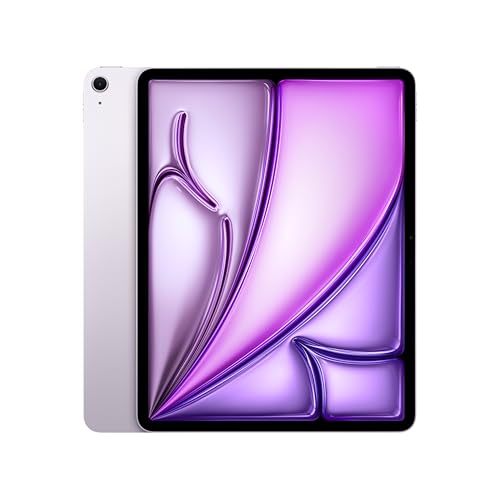


Why should you trust my recommendations?

🤩 Grab my popular FREE Procreate Brush pack, plus color palettes, prompt lists, and more creative goodies!
I’m a professional illustrator and art educator with close to 20 years in illustration, concept design, and art direction, and Procreate has been part of my daily workflow for years.
I’ve personally tested every iPad model by drawing on each one and creating real artworks, focusing on what actually matters to us artists like brush feel, Apple Pencil response, comfort during long sessions, and real layer limits. I also checked key details directly with the Procreate team so this guide stays accurate and up to date.

Which iPad is best for Procreate this year?
💡 FYI:
- In March 2026, Apple released iPad Air models with M4 chip. On top of faster chip, 12GB RAM and WiFi 7 they are identical to iPad Air models with M3 and M2 chip
- In October 2025, Apple released iPad Pro models with M5 chip. On top of faster chip, they also come with improved battery life. Otherwise they are identical to iPad Pro models with M4 chip
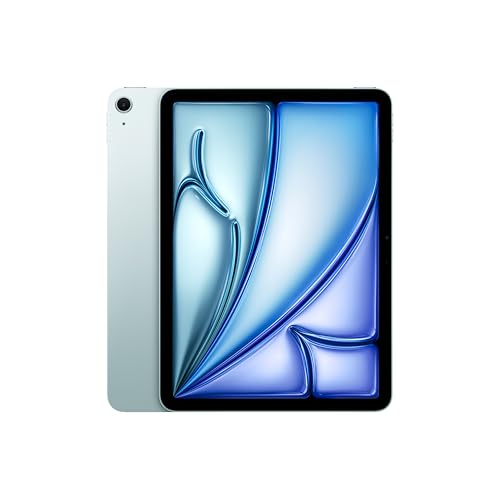
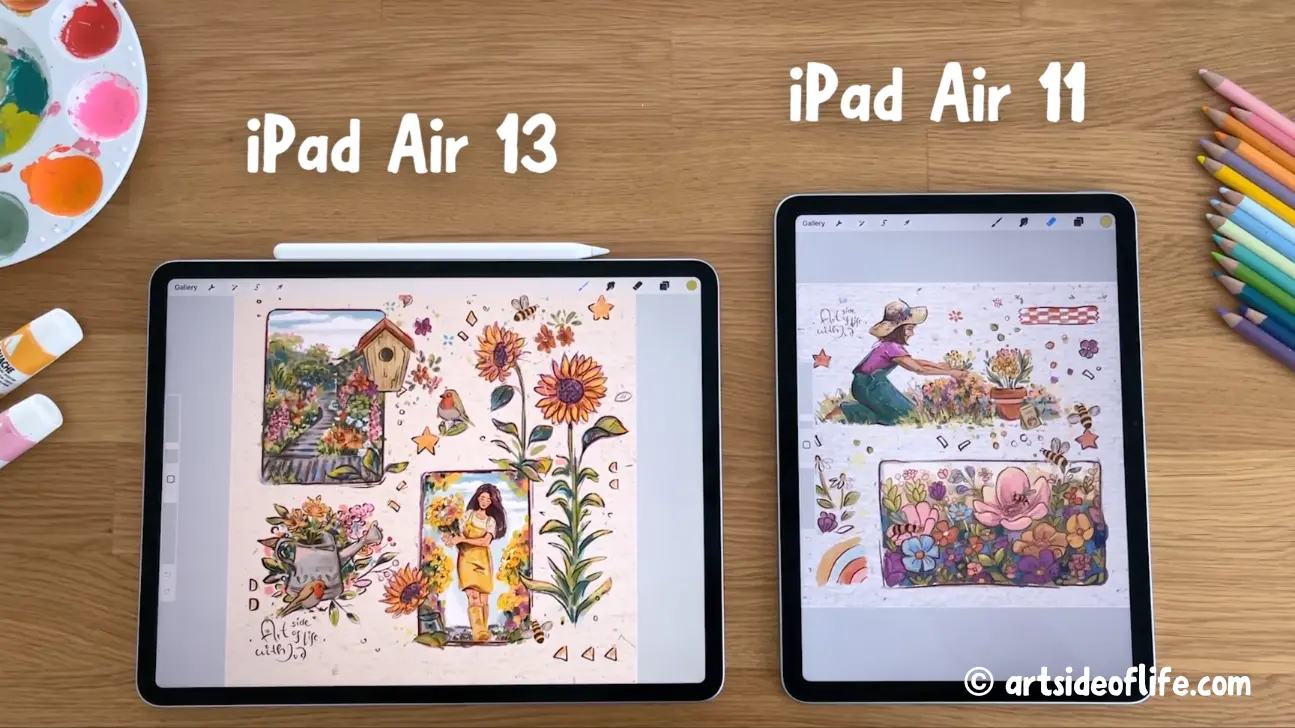
My recommendation for most artists: iPad Air (M4) 11-inch or 13-inch
This is the model I recommend the most often because it hits the sweet spot. It’s fast. It stays smooth in Procreate. It supports the best Apple Pencil. And it’s more affordable than the Pro for a lot of artists.
Display: 13″ Liquid Retina Display with True Tone and wide color (P3) | Resolution: 2732x2048px at 264PPI | Brightness: 600 nits | Chip: M4 with neural engine | Storage: 128GB | 256GB | 512GB | 1TB | RAM: 12GB | Weight: 1.4lb (620g) | Compatible with Apple Pencil Pro | Get my popular Procreate Brushes Display: 11″ Liquid Retina Display with True Tone and wide color (P3) | Resolution: 2360x1640px at 264PPI | Brightness: 500 nits | Chip: M4 with neural engine | Storage: 128GB | 256GB | 512GB | 1TB | RAM: 12GB | Weight: 1lb (460g) | Compatible with Apple Pencil Pro | Get my popular Procreate Brushes Compatible with iPad Pro M5 & M4 and iPad Air M4 & M3 & M2 Features: Hover, Double-tap, Squeeze, Barrel roll, Pixel-Perfect Precision, Tilt and Pressure Sensitivity, Low Latency for Note-Taking, Drawing, and Art. Attaches, Charges, and Pairs Magnetically Display: 13″ Liquid Retina Display with True Tone and wide color (P3) | Resolution: 2732x2048px at 264PPI | Brightness: 600 nits | Chip: M4 with neural engine | Storage: 128GB | 256GB | 512GB | 1TB | RAM: 12GB | Weight: 1.4lb (620g) | Compatible with Apple Pencil Pro | Get my popular Procreate Brushes Display: 11″ Liquid Retina Display with True Tone and wide color (P3) | Resolution: 2360x1640px at 264PPI | Brightness: 500 nits | Chip: M4 with neural engine | Storage: 128GB | 256GB | 512GB | 1TB | RAM: 12GB | Weight: 1lb (460g) | Compatible with Apple Pencil Pro | Get my popular Procreate Brushes Compatible with iPad Pro M5 & M4 and iPad Air M4 & M3 & M2 Features: Hover, Double-tap, Squeeze, Barrel roll, Pixel-Perfect Precision, Tilt and Pressure Sensitivity, Low Latency for Note-Taking, Drawing, and Art. Attaches, Charges, and Pairs Magnetically

Who it’s for
- Beginner to intermediate artists who want a “buy once, keep it for years” iPad
- Art students using Procreate and other drawing apps daily
- Pros who want near-Pro performance without paying Pro price
Why I like it in Procreate
- The M-series chip keeps brushes responsive and stable
- The laminated display feels more direct when you draw (less “gap” feeling)
- You get a solid layer count for most real-world canvas sizes
What I’d choose (based on how I work)
- 11-inch if you sketch everywhere, draw on the couch, or travel a lot
- 13-inch if you work on illustration layouts, lettering, or you want more room for references and UI

Join 1000s of artists and get my custom-made Procreate brushes - 🎨 Watercolor Brush Set, 🖌️ Gouache Brush Set, ✏️ Sketching Brush Set, and more ...
Layer limits (real numbers you can expect)
These are the layer limits I see for an 12GB RAM iPad Air (M4) at common sizes in Procreate:
| Canvas size | iPad Air Procreate layers |
|---|---|
| 3000 px × 3000 px @ 300 DPI | 145 |
| 16″ × 16″ @ 300 DPI | 54 |
| A4 @ 300 DPI | 148 |
| A3 @ 300 DPI | 72 |
| A2 @ 300 DPI | 34 |
If your art style uses a lot of clipping masks, texture layers, and separate lighting passes, these numbers matter. If you mostly work with fewer layers and merge often, you’ll rarely hit the limits.
Best for professional Procreate work: iPad Pro (M5) 11-inch or 13-inch
If Procreate is your main drawing app, and you make complex files, this is the easiest “no compromises” choice.
Display: 13″ Tandem OLED Ultra Retina XDR display; ProMotion (120Hz); Wide color P3 gamut; 2M:1 contrast ratio Resolution: 2752x2064px at 264PPI Brightness: SDR 1000 nits, XDR 1600 nits Chip: M5 with neural engine (AI) and improved battery life Storage: 256GB | 512GB | 1TB | 2TB RAM: 12GB @256GB | 512GB and 16GB @1TB | 2TB Weight: 1.3lb (580g) Compatible with Apple Pencil Pro (recommended) Display: 13″ Nano-texture Tandem OLED Ultra Retina XDR display; ProMotion (120Hz); Wide color P3 gamut; 2M:1 contrast ratio Resolution: 2752x2064px at 264PPI Brightness: SDR 1000 nits, XDR 1600 nits Chip: M5 with neural engine (AI) and improved battery life Storage: 1TB | 2TB RAM: 16GB @1TB | 2TB Weight: 1.3lb (580g) Compatible with Apple Pencil Pro (recommended) Display: 11″ Tandem OLED Ultra Retina XDR display; ProMotion (120Hz); Wide color P3 gamut; 2M:1 contrast ratio Resolution: 2420x1668px at 264PPI Brightness: SDR 1000 nits, XDR 1600 nits Chip: M5 with neural engine (AI) and improved battery life Storage: 256GB | 512GB | 1TB | 2TB RAM: 12GB @256GB | 512GB and 16GB @1TB | 2TB Weight: ±1lb (440g) Compatible with Apple Pencil Pro (recommended) Display: 11″ Nano-texture Tandem OLED Ultra Retina XDR display; ProMotion (120Hz); Wide color P3 gamut; 2M:1 contrast ratio Resolution: 2420x1668px at 264PPI Brightness: SDR 1000 nits, XDR 1600 nits Chip: M5 with neural engine (AI) and improved battery life Storage: 1TB | 2TB RAM: 16GB @1TB | 2TB Weight: ±1lb (440g) Compatible with Apple Pencil Pro (recommended) Compatible with iPad Pro M5 & M4 and iPad Air M4 & M3 & M2 Features: Hover, Double-tap, Squeeze, Barrel roll, Pixel-Perfect Precision, Tilt and Pressure Sensitivity, Low Latency for Note-Taking, Drawing, and Art. Attaches, Charges, and Pairs Magnetically Display: 13″ Tandem OLED Ultra Retina XDR display; ProMotion (120Hz); Wide color P3 gamut; 2M:1 contrast ratio Resolution: 2752x2064px at 264PPI Brightness: SDR 1000 nits, XDR 1600 nits Chip: M5 with neural engine (AI) and improved battery life Storage: 256GB | 512GB | 1TB | 2TB RAM: 12GB @256GB | 512GB and 16GB @1TB | 2TB Weight: 1.3lb (580g) Compatible with Apple Pencil Pro (recommended) Display: 13″ Nano-texture Tandem OLED Ultra Retina XDR display; ProMotion (120Hz); Wide color P3 gamut; 2M:1 contrast ratio Resolution: 2752x2064px at 264PPI Brightness: SDR 1000 nits, XDR 1600 nits Chip: M5 with neural engine (AI) and improved battery life Storage: 1TB | 2TB RAM: 16GB @1TB | 2TB Weight: 1.3lb (580g) Compatible with Apple Pencil Pro (recommended) Display: 11″ Tandem OLED Ultra Retina XDR display; ProMotion (120Hz); Wide color P3 gamut; 2M:1 contrast ratio Resolution: 2420x1668px at 264PPI Brightness: SDR 1000 nits, XDR 1600 nits Chip: M5 with neural engine (AI) and improved battery life Storage: 256GB | 512GB | 1TB | 2TB RAM: 12GB @256GB | 512GB and 16GB @1TB | 2TB Weight: ±1lb (440g) Compatible with Apple Pencil Pro (recommended) Display: 11″ Nano-texture Tandem OLED Ultra Retina XDR display; ProMotion (120Hz); Wide color P3 gamut; 2M:1 contrast ratio Resolution: 2420x1668px at 264PPI Brightness: SDR 1000 nits, XDR 1600 nits Chip: M5 with neural engine (AI) and improved battery life Storage: 1TB | 2TB RAM: 16GB @1TB | 2TB Weight: ±1lb (440g) Compatible with Apple Pencil Pro (recommended) Compatible with iPad Pro M5 & M4 and iPad Air M4 & M3 & M2 Features: Hover, Double-tap, Squeeze, Barrel roll, Pixel-Perfect Precision, Tilt and Pressure Sensitivity, Low Latency for Note-Taking, Drawing, and Art. Attaches, Charges, and Pairs Magnetically

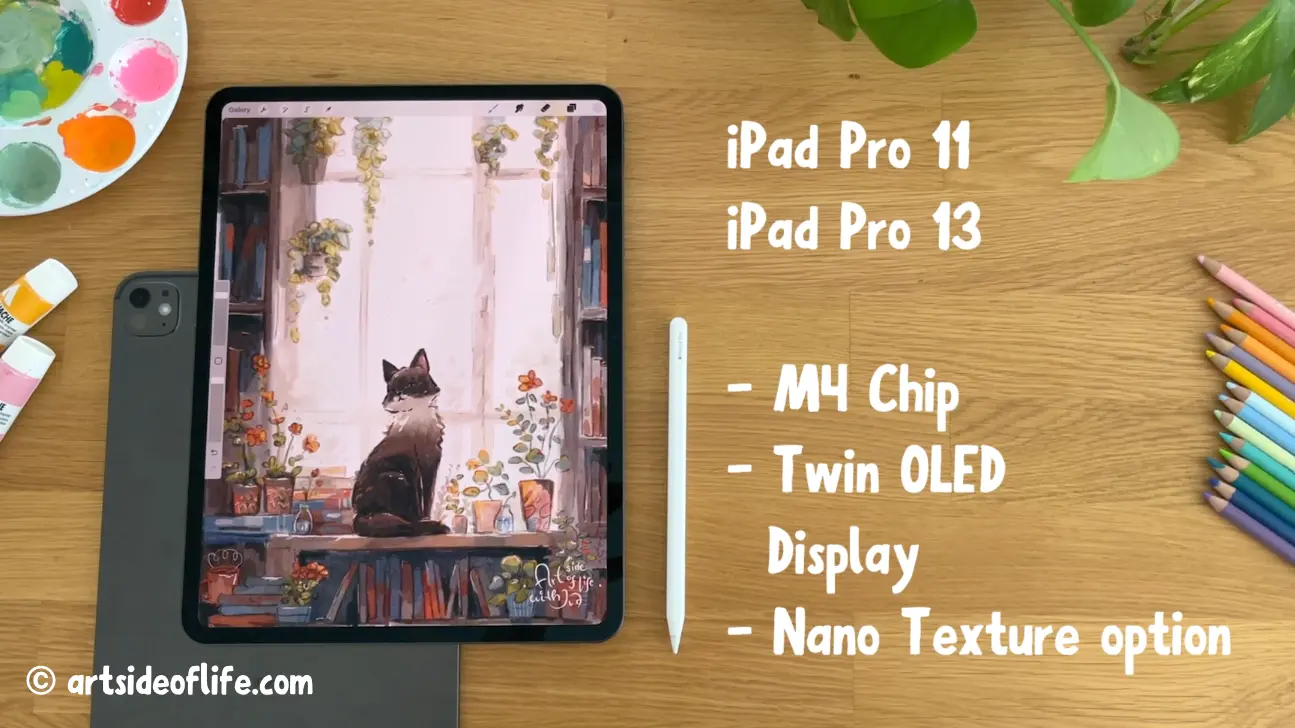
Here’s the key point that gets missed online: for Procreate, RAM matters more than the chip generation once you’re in the modern iPad Pro range.
The Procreate sweet spot: 1TB or 2TB models
On the iPad Pro lineup, the bigger storage tiers typically come with more RAM, and that directly increases your layer limits.
If you know you’ll work on large print canvases, or you like keeping everything separated into many layers, I’d aim for 1TB or 2TB.
Layer limits: iPad Pro 16GB vs 8GB (this is the real difference)
Here are the layer limits I see at the same canvas sizes:
| Canvas size | iPad Pro 1TB & 2TB (16GB) Procreate layers | iPad Pro (12GB) Procreate layers |
|---|---|---|
| 3000 px × 3000 px @ 300 DPI | 204 | 145 |
| 16″ × 16″ @ 300 DPI | 77 | 54 |
| A4 @ 300 DPI | 211 | 148 |
| A3 @ 300 DPI | 103 | 72 |
| A2 @ 300 DPI | 49 | 34 |
If you’ve ever had to redesign a whole file because you ran out of layers, this upgrade feels very practical, not flashy.
11-inch vs 13-inch on iPad Pro
I’ve used both sizes. This is how it usually turns out:
- 11-inch Pro: best if you travel, draw standing, sketch outdoors, or want a lighter daily carry
- 13-inch Pro: best if you do detailed illustration, lots of reference use, split screen, or long studio sessions
The “I draw in bright studio / outside” option: iPad Pro with nano-texture display
If glare constantly bugs you, nano-texture can help. I notice it most when I’m near windows, in cafés, or working under strong overhead lighting.
My honest take: it’s helpful, but it’s not a must-have for everyone.
Get nano-texture if
- You draw in changing light a lot
- You hate reflections on dark canvases
- You do long sessions and glare causes eye strain
Skip nano-texture if
- You mostly draw indoors with controlled lighting
- You prefer a crisp, glossy look for finishing and color checking
- You already love your matte screen protector setup
Best budget iPad for Procreate beginners: iPad (A16)
Best Budget iPad for drawing and Procreate
Apple A16 Chip :: 11-inch Liquid Retina LED Display with True Tone :: 2360-by-1640-pixel resolution :: 500 nits brightness :: ±10 hours Battery Life :: Early 2025 model :: Apple Pencil 1 compatible :: Get my popular Procreate Brushes


🤩 Join Art Club with Iva for access to popular PROCREATE classes, workshops, creative skills practice, my drawing process, references, Procreate brushes use inspiration, and more.
For learning Procreate, doing art classes, sketching, and making finished artworks at moderate canvas sizes, the iPad (A16) is genuinely fine.
The trade-offs are real, but they don’t stop beginners from making great art.

What’s great about it
- Lowest cost entry into a modern Procreate setup
- Great performance for basic and intermediate Procreate work
- Good for students, hobbyists, and casual commissions
What you need to know before you buy
- The display is not as “draw-friendly” as Air/Pro. It can feel less direct.
- Your layer limits are lower, so huge canvases get restrictive faster.
Procreate Layer limits on iPad A16
| Canvas size | iPad A16 Procreate layers |
|---|---|
| 3000 px × 3000 px @ 300 DPI | 70 |
| 16″ × 16″ @ 300 DPI | 25 |
| A4 @ 300 DPI | 73 |
| A3 @ 300 DPI | 34 |
| A2 @ 300 DPI | 15 |
Apple Pencil tip that saves people money
This iPad supports Apple Pencil (1st generation) and Apple Pencil (USB-C).
But the Apple Pencil (USB-C) does not support pressure sensitivity. Apple lists pressure sensitivity as not supported for that model in their Apple Pencil feature comparison.
In Procreate, pressure sensitivity is a big deal. It affects line weight, opacity, and brush dynamics.
So for Procreate on the iPad (A16), I’d choose:
- Apple Pencil (1st gen) if you care about pressure sensitivity
- Apple Pencil (USB-C) if you mostly take notes and do light sketching
Best portable iPad for Procreate: iPad Mini (A17 Pro)
Best Portable iPad I recommend for drawing and Procreate
Apple A17 Pro Processor for Best-in-Class Performance :: 8.3 inch Liquid Retina Display for Superior Color, Contrast, Brightness :: Light and Extremely Strong :: Premium Fit and Finish :: Up to 24 Hours Battery Life :: Storage 128GB - 256GB - 512GB :: Late 2024 model :: Compatible with Apple Pencil Pro | Get my popular Procreate Brushes

If you want an iPad that feels like a sketchbook you can always carry, the mini is hard to beat.
I like it for:
- gesture sketching
- travel thumbnails
- studies, visual notes, quick ideation

The small size can also be a plus if you get wrist fatigue on larger screens.
The real limitation: Procreate layers
You’ll feel the layer cap sooner on the mini than on the Air or Pro.
| Canvas size | iPad Mini Procreate layers |
|---|---|
| 3000 px × 3000 px @ 300 DPI | 55 |
| 16″ × 16″ @ 300 DPI | 19 |
| A4 @ 300 DPI | 57 |
| A3 @ 300 DPI | 26 |
| A2 @ 300 DPI | 11 |
If you mainly draw at A4 or smaller, and you don’t stack dozens of texture layers, it can still work great.
Procreate layer limits at a glance (all my picks in one place)
This is the table I wish every “best iPad for Procreate” post included:
| Canvas size | iPad Pro (16GB RAM) | iPad Pro or iPad Air (12GB RAM) | iPad (A16) (6GB RAM) | iPad mini 7 (4GB RAM) |
|---|---|---|---|---|
| 3000 px × 3000 px @ 300 DPI | 204 | 145 | 70 | 55 |
| 16″ × 16″ @ 300 DPI | 77 | 54 | 25 | 19 |
| A4 @ 300 DPI | 211 | 148 | 73 | 57 |
| A3 @ 300 DPI | 103 | 72 | 34 | 26 |
| A2 @ 300 DPI | 49 | 34 | 15 | 11 |
If layers are your top priority, choose more RAM first. Then choose screen size.
How I test iPads for Procreate
This is my simple test process. It keeps things fair.
- I update iPadOS and Procreate.
- I create new canvases at the same sizes (A4, A3, A2, 3000×3000px, 16×16 inches).
- I set DPI to 300 for print-style comparison (except the px canvas which is for online use only).
- I check the Maximum Layers value Procreate shows.
How to choose the right iPad for Procreate
1) RAM and layers


If you only remember one thing, remember this.
More RAM usually means:
- more layers
- more room for high-res canvases
- fewer compromises
2) Screen size


I use this quick rule:
- If you love A5 sketchbooks, you’ll probably love iPad mini or 11-inch
- If you love A4 sketchbooks, you’ll probably love 11-inch or 13-inch
- If you work like you’re at a desk, 13-inch feels the most natural
3) Display feel
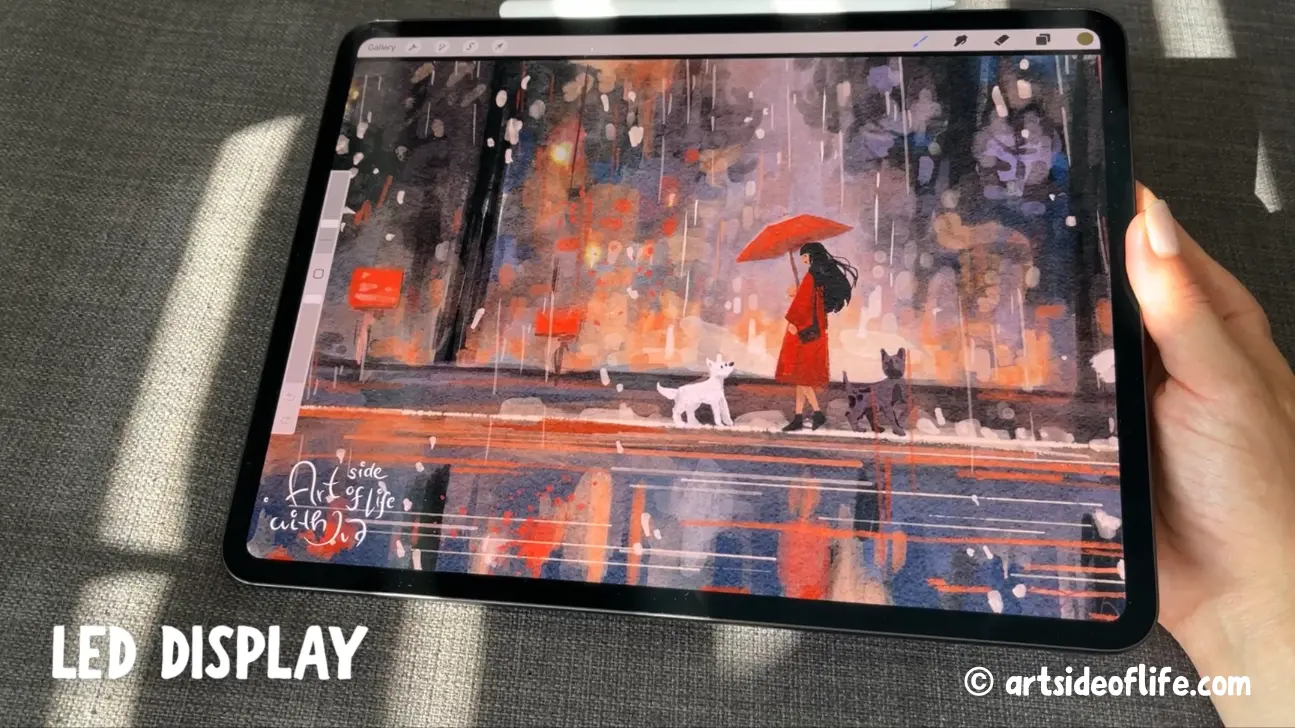
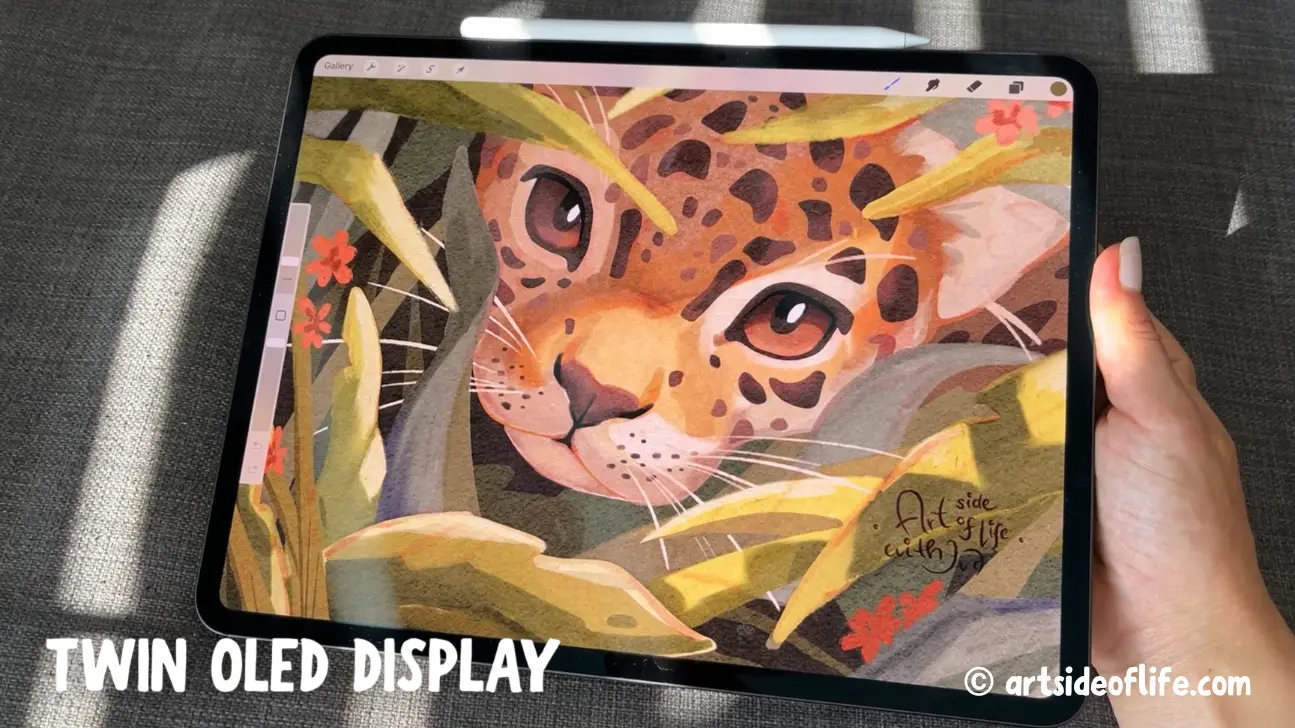
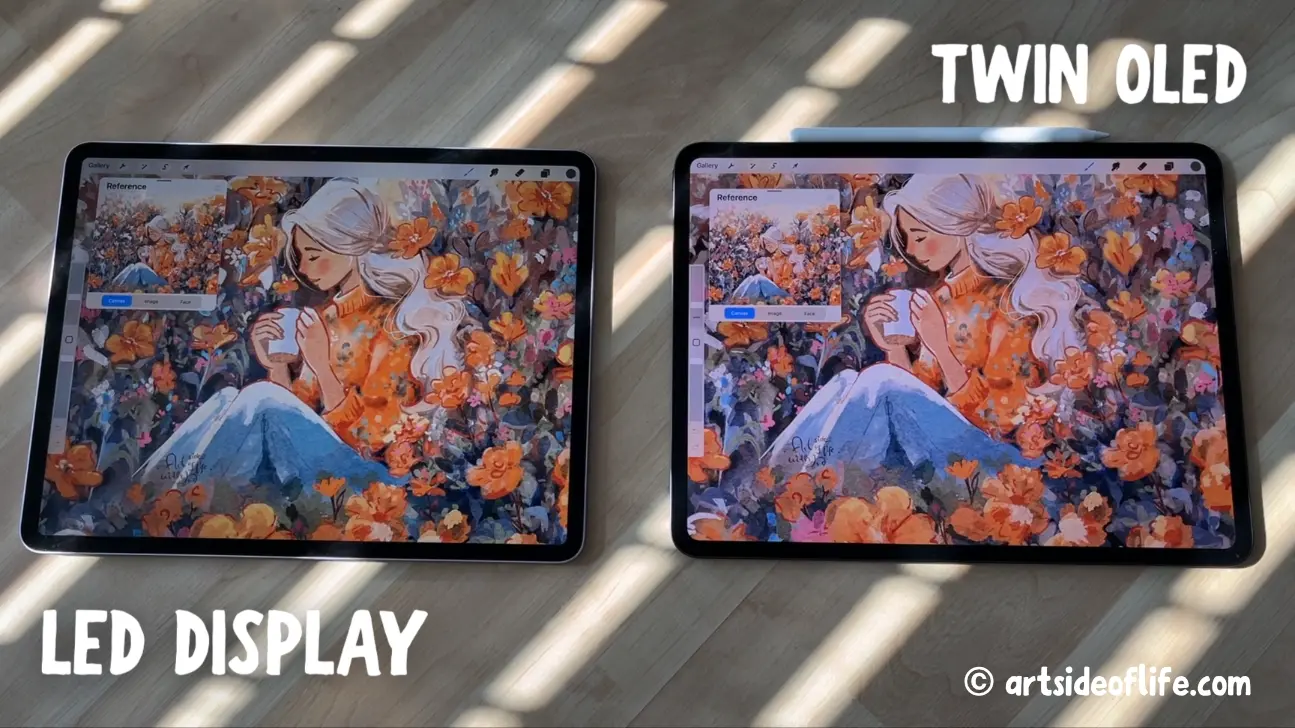
A laminated display feels more “direct” because the pixels sit closer to the glass. The Air, Pro, and Mini feel better for drawing than the budget iPad.
4) Pencil compatibility
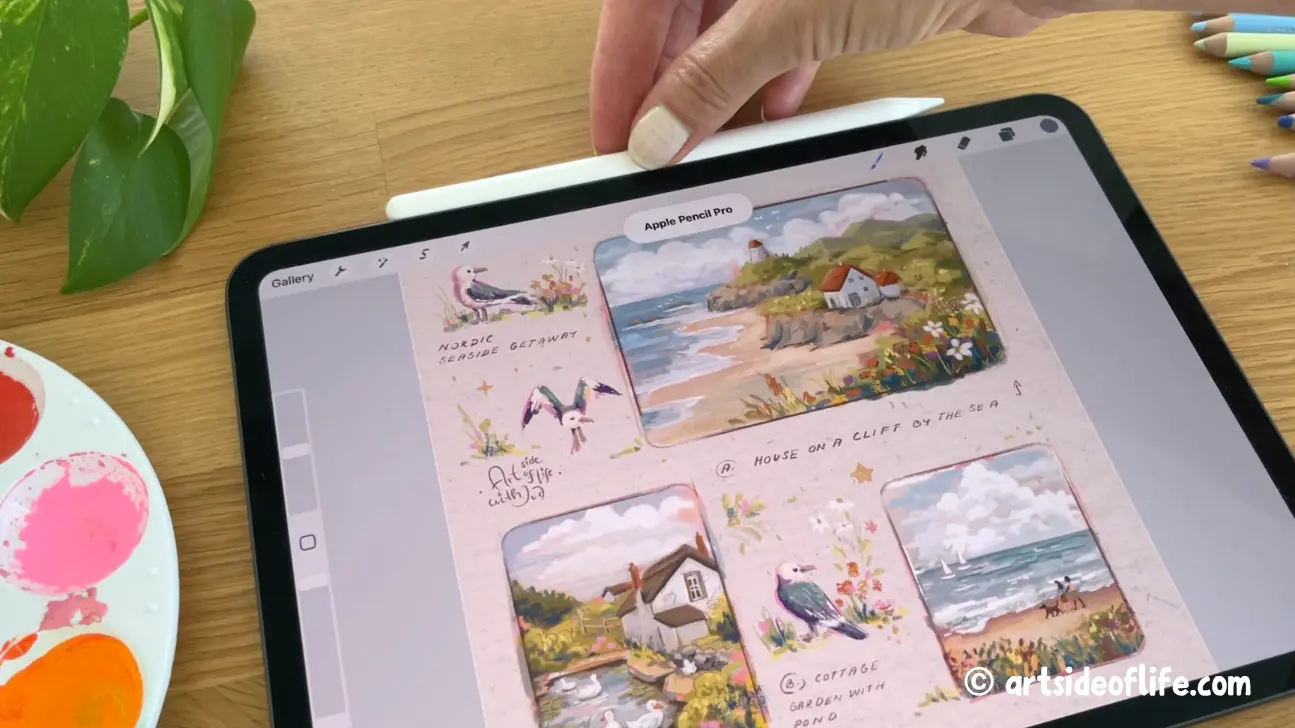
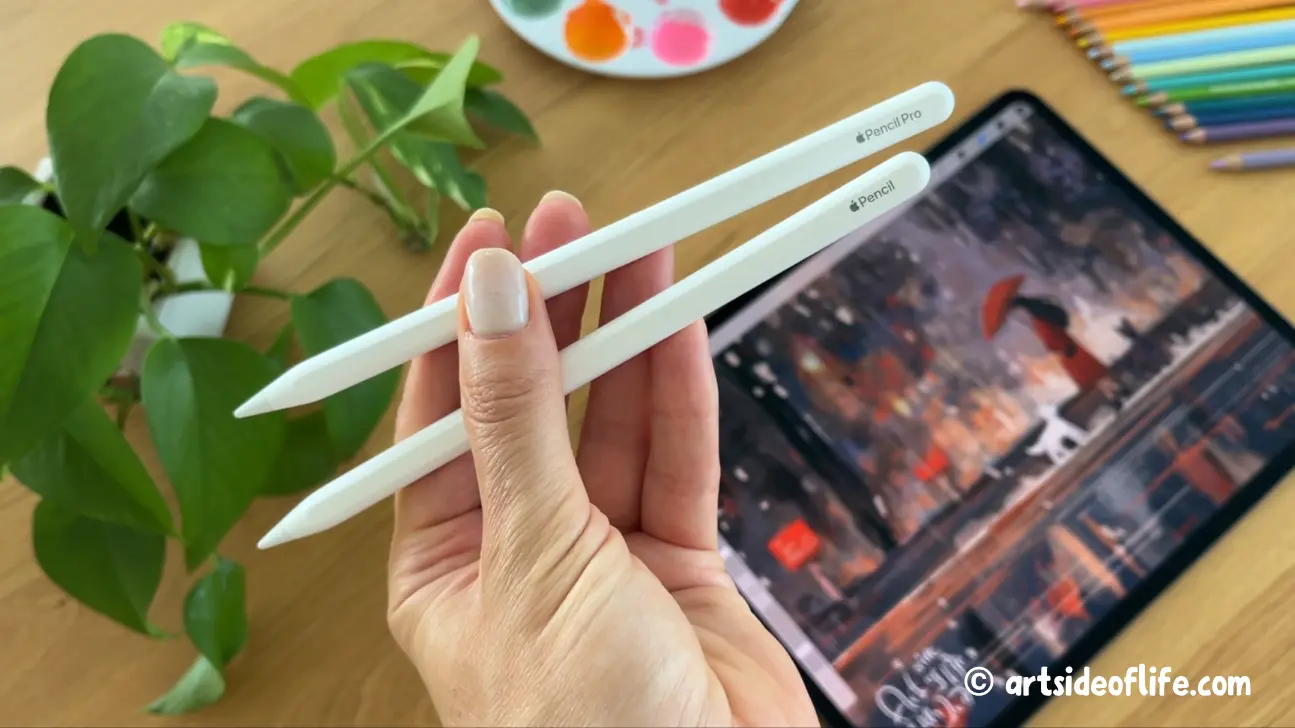

Match the pencil to the iPad first. Then pick the best pencil your iPad supports:
- Apple Pencil Pro – compatible with iPad Air M4/M3/M2, iPad Pro M5/M4, iPad Mini A17
- Apple Pencil 1 – compatible with iPad A16
If Procreate is your focus, pressure sensitivity matters, so don’t get Apple Pencil USB-C.
5) Storage
In my experience, storage fills up faster than most people expect.
- 256GB is the minimum I recommend for regular Procreate use
- 512GB feels comfortable if you save lots of canvases and references
- 1TB+ is for heavy users, and on iPad Pro it can also help because it tends to come with more RAM
6) Accessories

A case with a stable stand is underrated. So is a spare set of Pencil tips if you use a matte screen protector.
Procreate compatibility in 2026 (quick check)
Procreate currently requires iPadOS 16.3 or newer.
Procreate supports a wide range of iPads, including:
- iPad Pro models (older generations and the latest M-series)
- iPad Air (from 3rd gen and up)
- iPad (from 5th gen and up, including A16)
- iPad mini (from 5th gen and up)
If someone is using an older iPad that cannot update to iPadOS 16.3, that’s usually the reason they cannot install the current Procreate version.
FAQ
No. I’d start most people on the iPad Air. Go Pro if you need more layers, better display tech, or you work long hours and want the most comfortable experience.
If you do detailed work, typography, comics, or lots of split screen, yes. If you draw mainly for fun and sketching, 11-inch is usually enough.
The iPad (A16) is the best budget start. If you can stretch, the iPad Air is the easiest “grow into it” option.
I wouldn’t, unless you’re okay without pressure sensitivity. For Procreate, pressure is a big part of brush control.
A few practical tricks: Lower DPI if the work is for screen; Keep your canvas smaller until the final export; Merge texture stacks you are done editing; Use fewer separate lighting layers and group/flatten as you go
My final advice
If you’re stuck between two models, choose based on your bottleneck.
- If you hit layer limits often, prioritize more RAM.
- If your wrist or eyes get tired, prioritize screen size and display comfort.
- If you’re learning, prioritize a good pencil setup and consistent practice over the fanciest iPad.
💡 Planning to get the best iPad for Procreate Dreams? Explore my newest post: Best iPad for Procreate Dreams
💡 Find out which iPads are compatible with Procreate Dreams: Procreate Dreams Compatibility with iPads
Lis cet article en français 🇫🇷 Le meilleur iPad pour Procreate
Lies diesen Artikel auf Deutsch 🇩🇪 Bestes iPad zum Zeichnen und Procreate

Hi, I am Iva (rhymes with “viva”). I am a full-time self-taught artist behind Art Side of Life® and a Top Teacher on Skillshare. I have 15 years of experience in the creative field as a concept designer, illustrator, art director, and now freelance artist, content creator, and art instructor. My goal is to help you get your creative groove on with Procreate and make awesome art through practical classes, tutorials, Procreate brushes, and guides on art tools, supplies and resources. About me »


