Hi! 👋 If you’re serious about drawing in Procreate, the M4 iPad Air might just be the smartest choice right now. After testing it for art and illustration, here’s what I found:

🤩 Join Art Club with Iva for access to popular PROCREATE classes, workshops, creative skills practice, my drawing process, references, Procreate brushes use inspiration, and more.

Join 1000s of artists and get my custom-made Procreate brushes - 🎨 Watercolor Brush Set, 🖌️ Gouache Brush Set, ✏️ Sketching Brush Set, and more ...
💡 See my post about the best iPad for Procreate if you are looking for a comparison of the new iPads for drawing on Procreate – iPad Pro M4/M5, iPad Air 13″ M3/M4, iPad Mini 7 and iPad A16
Newest iPad Air M4 for Procreate and Drawing
|
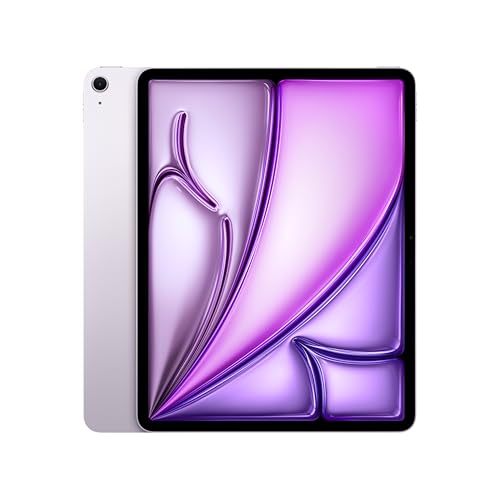
13″
|
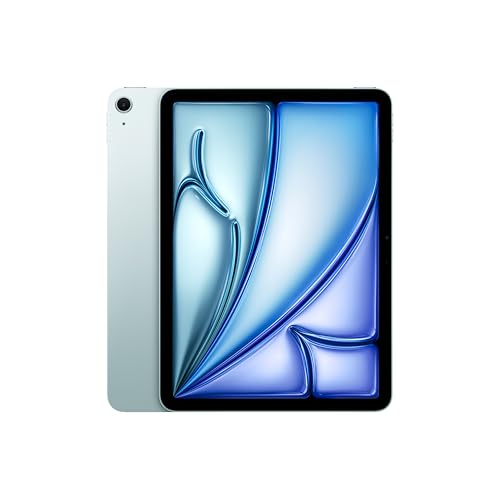
11″
|
Compatible

|
|
Display: 13″ Liquid Retina Display with True Tone and wide color (P3) | Resolution: 2732x2048px at 264PPI | Brightness: 600 nits | Chip: M4 with neural engine | Storage: 128GB | 256GB | 512GB | 1TB | RAM: 12GB | Weight: 1.4lb (620g) | Compatible with Apple Pencil Pro | Get my popular Procreate Brushes |
Display: 11″ Liquid Retina Display with True Tone and wide color (P3) | Resolution: 2360x1640px at 264PPI | Brightness: 500 nits | Chip: M4 with neural engine | Storage: 128GB | 256GB | 512GB | 1TB | RAM: 12GB | Weight: 1lb (460g) | Compatible with Apple Pencil Pro | Get my popular Procreate Brushes |
Compatible with iPad Pro M5 & M4 and iPad Air M4 & M3 & M2 Features: Hover, Double-tap, Squeeze, Barrel roll, Pixel-Perfect Precision, Tilt and Pressure Sensitivity, Low Latency for Note-Taking, Drawing, and Art. Attaches, Charges, and Pairs Magnetically |
Display: 13″ Liquid Retina Display with True Tone and wide color (P3) | Resolution: 2732x2048px at 264PPI | Brightness: 600 nits | Chip: M4 with neural engine | Storage: 128GB | 256GB | 512GB | 1TB | RAM: 12GB | Weight: 1.4lb (620g) | Compatible with Apple Pencil Pro | Get my popular Procreate Brushes
Display: 11″ Liquid Retina Display with True Tone and wide color (P3) | Resolution: 2360x1640px at 264PPI | Brightness: 500 nits | Chip: M4 with neural engine | Storage: 128GB | 256GB | 512GB | 1TB | RAM: 12GB | Weight: 1lb (460g) | Compatible with Apple Pencil Pro | Get my popular Procreate Brushes
Compatible with iPad Pro M5 & M4 and iPad Air M4 & M3 & M2
Features: Hover, Double-tap, Squeeze, Barrel roll, Pixel-Perfect Precision, Tilt and Pressure Sensitivity, Low Latency for Note-Taking, Drawing, and Art. Attaches, Charges, and Pairs Magnetically
Video: Comparing iPad Air M3/M4 with iPad A16 11th gen

🤩 Grab my popular FREE Procreate Brush pack, plus color palettes, prompt lists, and more creative goodies!
Drawing Experience on iPad Air M4

Join 1000s of artists and get my custom-made Procreate brushes - 🎨 Watercolor Brush Set, 🖌️ Gouache Brush Set, ✏️ Sketching Brush Set, and more ...
The M4 iPad Air uses similar display technology to the iPad 11 but with two important upgrades:
- Fully laminated screen = no gap between glass and display, so it feels much more like drawing directly on paper.
- Anti-reflective coating = makes a big difference if you draw outdoors or under bright lights.
It also supports a wider color profile, giving you more vibrant and accurate colors, which is fantastic for digital painting.

🌟 NEW Bubble-Free Butterfly Install System
For iPad Air 13 (M2/M3 - 2024/25) & iPad Pro 13 (M4/M5 - 2024/25) - also available for other models
True Paper-Feel, Protects Pencil Tip

M4 iPad Air has a 60 Hz refresh rate. Honestly, I don’t notice a major difference for my art style compared to the 120 Hz Pro models, but if you do super fast gesture drawing, detailed animation work, or highly detailed line art, you might appreciate the higher refresh rates of the iPad Pro.

If aesthetics are an essential factor in your device selection, you’ll be pleasantly surprised:

The iPad Air M4 is available in a selection of elegant, refined colors. Whether you lean toward a classic gray or a soft blue, each option feels subtle and sophisticated. If you appreciate a clean, understated look, the M4 iPad Air could be the perfect match for your style.
iPad Air M4 Size and Weight

Since the M2 model, the M4 iPad Air now comes in two sizes: 11-inch and 13-inch.
The 13-inch is naturally heavier but still feels manageable, like carrying a thick mixed-media sketchbook.
If you love having more canvas space, the bigger 13-inch model is worth considering. I personally use a large 12.9-inch iPad Pro for more room when drawing, and switching back to a smaller screen would feel like a big adjustment.
Number of Procreate Layers on iPad Air M4

The M4 iPad Air has 12 GB RAM, which gives you noticeably more flexibility in Procreate compared to the iPad A16.
Based on my tests, this is how many Procreate layers you will be getting:
| Canvas size | iPad Air M4 Number of layers in Procreate |
|---|---|
| 3000 x 3000px | 112+ |
| 16″ x 16″ @300 DPI | 41+ |
| A4 @300DPI | 116+ |
| A3 @300DPI | 56+ |
| A2 @300DPI | 26+ |
In Procreate Dreams you will be getting:
- Up to 200 content tracks
- Up to 4 x 4K video tracks
If you create complex, multi-layered artworks or animations, this extra RAM makes a big difference.
Incredibly generous for the price.
Storage Options on iPad Air M4
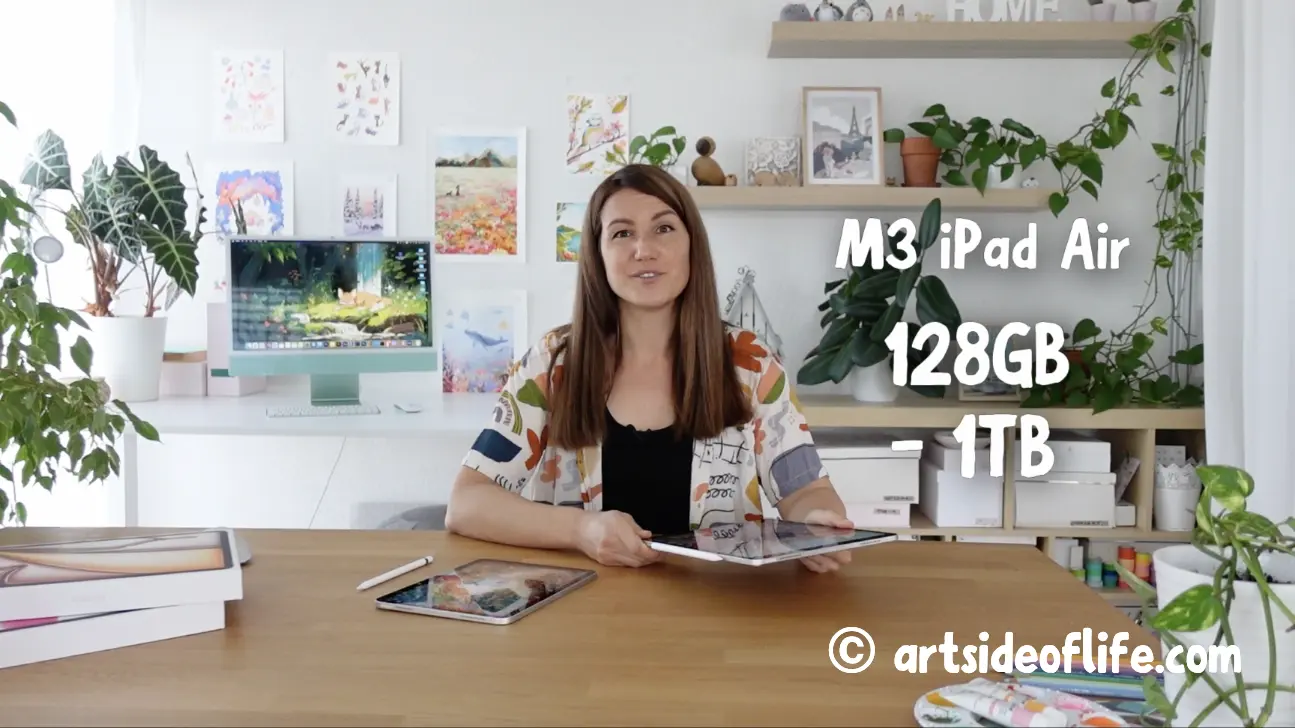
Storage options on the M4 iPad Air are very generous too:
- 128 GB, 256 GB, 512 GB and 1 TB
If you work on large projects, animations, or lots of high-res paintings, having the option to go up to 1 TB is a real bonus.
And if Apple’s storage upgrades feel pricey, you can always grab a good external USB-C drive.
| iPad Air M4 Storage | RAM |
|---|---|
| Storage 128GB | 12GB RAM |
| Storage 256GB | 12GB RAM |
| Storage 512GB | 12GB RAM |
| Storage 1TB | 12GB RAM |
My simple rule is this. If you will work on big artworks, download offline content such as videos from Netflix, YouTube, and Skillshare, get the 256GB or 512GB model.
It will save you from the headache of organizing and saving your files to an external hard drive.

iPad Air M4 Apple Pencil Compatibility
Features: Hover, Double-tap, Squeeze, Barrel roll, Pixel-Perfect Precision, Tilt and Pressure Sensitivity, Low Latency for Note-Taking, Drawing, and Art. Attaches, Charges, and Pairs Magnetically
Compatible with iPad Pro M5/M4, iPad Air M2/M3/M4 and iPad Mini 7

The M4 iPad Air supports the new Apple Pencil Pro. This is a major leap forward:
- Haptic feedback
- Squeeze gestures
- Barrel roll detection
- Preview function for better precision
It’s a really nice upgrade if you want more control and a more natural drawing experience.

One helpful note.
Make sure you get the case with a pencil holder. This will help you save your Apple Pencil from getting lost 😊
Ultra-Thin Protective Cover with Pencil Holder, Trifold Stand, Auto Wake/Sleep

iPad Air M4 Price
I think iPad Air M4 is the best value iPad for drawing and Procreate!
At the time of writing, the 11-inch M4 iPad Air starts at $599 and the 13-inch model starts at $799.
These are really great prices for what you are getting – 128GB storage, 8GB RAM and support for Apple Pencil Pro.
|
13″
|
11″
|
Compatible
|
|
Display: 13″ Liquid Retina Display with True Tone and wide color (P3) | Resolution: 2732x2048px at 264PPI | Brightness: 600 nits | Chip: M4 with neural engine | Storage: 128GB | 256GB | 512GB | 1TB | RAM: 12GB | Weight: 1.4lb (620g) | Compatible with Apple Pencil Pro | Get my popular Procreate Brushes |
Display: 11″ Liquid Retina Display with True Tone and wide color (P3) | Resolution: 2360x1640px at 264PPI | Brightness: 500 nits | Chip: M4 with neural engine | Storage: 128GB | 256GB | 512GB | 1TB | RAM: 12GB | Weight: 1lb (460g) | Compatible with Apple Pencil Pro | Get my popular Procreate Brushes |
Compatible with iPad Pro M5 & M4 and iPad Air M4 & M3 & M2 Features: Hover, Double-tap, Squeeze, Barrel roll, Pixel-Perfect Precision, Tilt and Pressure Sensitivity, Low Latency for Note-Taking, Drawing, and Art. Attaches, Charges, and Pairs Magnetically |
Display: 13″ Liquid Retina Display with True Tone and wide color (P3) | Resolution: 2732x2048px at 264PPI | Brightness: 600 nits | Chip: M4 with neural engine | Storage: 128GB | 256GB | 512GB | 1TB | RAM: 12GB | Weight: 1.4lb (620g) | Compatible with Apple Pencil Pro | Get my popular Procreate Brushes
Display: 11″ Liquid Retina Display with True Tone and wide color (P3) | Resolution: 2360x1640px at 264PPI | Brightness: 500 nits | Chip: M4 with neural engine | Storage: 128GB | 256GB | 512GB | 1TB | RAM: 12GB | Weight: 1lb (460g) | Compatible with Apple Pencil Pro | Get my popular Procreate Brushes
Compatible with iPad Pro M5 & M4 and iPad Air M4 & M3 & M2
Features: Hover, Double-tap, Squeeze, Barrel roll, Pixel-Perfect Precision, Tilt and Pressure Sensitivity, Low Latency for Note-Taking, Drawing, and Art. Attaches, Charges, and Pairs Magnetically
Who Should Get iPad Air M4 for Procreate and Drawing?
🤩 Join Art Club with Iva for access to popular PROCREATE classes, workshops, creative skills practice, my drawing process, references, Procreate brushes use inspiration, and more.
So, who do I think should get the iPad Air M4?
If you’re an experienced artist upgrading from an older iPad Air, basic iPad, or even an older iPad Pro, the M4 iPad Air is a fantastic choice. It’s also great if you want a laminated display, better color accuracy, and more storage options without spending iPad Pro money. Personally, if I needed a new iPad right now, I’d seriously consider the 13-inch M4 iPad Air.
iPad Air M4 Drawing Accessories
When you get your own iPad Air M4 for drawing and Procreate, also consider these useful accessories. If you get only one thing, make sure it’s the case with a Pencil holder. You will thank me later 😊
|
|

|
|
|
Description: Ultra-Thin Protective Cover with Pencil Holder, Trifold Stand, Auto Wake/Sleep |
Description: For iPad Air 13 M4, M3, M2 for an authentic paper-feel |
Description: I recommend you get them if you use a matte Paperlike screen protector |
Ultra-Thin Protective Cover with Pencil Holder, Trifold Stand, Auto Wake/Sleep
For iPad Air 13 M4, M3, M2 for an authentic paper-feel
I recommend you get them if you use a matte Paperlike screen protector
Summary
The M4 iPad Air is a strong, well-rounded option for serious Procreate artists.
If you value a laminated screen, better display quality, the advanced Apple Pencil Pro, and the ability to handle big Procreate projects, it’s absolutely worth the investment. In my experience, it’s the perfect middle ground between the basic iPads and the pricey iPad Pro models.
Happy drawing!
Lis cet article en français 🇫🇷 : iPad Air pour Procreate, graphistes et artistes
Lies diesen Artikel auf Deutsch 🇩🇪: iPad Air M3 zum Zeichnen, für Procreate und Künstler:innen

Hi, I am Iva (rhymes with “viva”). I am a full-time self-taught artist behind Art Side of Life® and a Top Teacher on Skillshare. I have 15 years of experience in the creative field as a concept designer, illustrator, art director, and now freelance artist, content creator, and art instructor. My goal is to help you get your creative groove on with Procreate and make awesome art through practical classes, tutorials, Procreate brushes, and guides on art tools, supplies and resources. About me »


